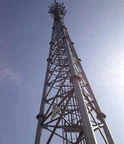


5 modi biex issib malajr l-eqreb torri taċ-ċelluli
In a world that relies heavily on connectivity, poor cell reception is a problem that plagues many consumers and businesses. If you're experiencing poor signal conditions at home or in the office, identifying the source of the signal can be the first step to improving reception. As of 2018, the number of base stations in the United States is approaching 350,000. This number indicates that there may be a cell tower near you.
Finding your nearest cell tower location can give you insight into what's causing your connection problems. Knowing the orientation of the cell towers relative to your location will provide a signal path, making it easier to implement strategies to enhance reception.
Post tat-torri taċ-ċelluli -min
1. Ibda bit-trasportatur tiegħek
Cellular carriers, even if advertised as nationwide, are not guaranteed to serve the same areas. It's important to start your search with your current cell phone carrier so you know which towers you identify are relevant to your situation. Verizon, T-Mobile, and ATT are the top three carriers in the U.S. and have many resources to help you locate their cell towers.
Postijiet tat-Torri taċ-Ċelluli ta' Verizon
Verizon provides its customers with a map of cell towers that shows the area covered by the network over 2.5 million miles. While this map is a good starting point for making sure you have Verizon coverage in your area, it won't provide the precise location of the towers closest to you. It's also important to note that this map is based on 4G LTE coverage, so those using 5G may find better success with coverage maps in cities where the carrier offers Verizon 5G service.
Postijiet tat-torri taċ-ċelluli ATT
ATT users have a similar tool that shows the areas the carrier serves, although it doesn't offer a nationwide view and requires a specific location. As with Verizon users, customers will not be able to use this tool to locate cell towers. However, the interactive map can tell you if service is available at your exact address, and what type of coverage you can expect, such as 4G LTE or 5G.
T-Postizzjonijiet tat-Torri taċ-Ċelloli Mobbli
Those who do business with T-Mobile also benefit from an interactive coverage map, but this one provides a nationwide overview and options for finding specific addresses. Like the other two, the individual towers aren't listed, but the map can show you if you fall within T-Mobile's coverage area and the type of coverage you have available.
Once you've confirmed that you're within coverage of your specific cellular carrier, you can use a variety of tools and techniques to find out the mobile tower locations for your service.
2. Ipprova Cell Tower Locator Maps
Now that you've confirmed that your carrier of choice has coverage, you're probably wondering, "How can I find cell towers near me?" Location maps are an easy answer to that question. These third-party maps provide accurate locations of cell towers and can verify the provider as well as the type of network the tower transmits. Here are some options to help you get started:
Cellmapper.net: Din l-għodda interattiva għandha xi għażliet ta 'filtrazzjoni biex tibda t-tfittxija tiegħek. Ibda billi daħħal it-trasportatur u t-tip tan-netwerk tiegħek. Imbagħad daħħal l-indirizz tiegħek biex issib it-torrijiet kollha li jaqblu mal-parametri tat-trasportatur u tan-netwerk tiegħek. Ir-riżultati jintwerew fuq mappa biex turik it-torrijiet fl-inħawi tiegħek, u s-saħħa tas-sinjal ta 'kull torri.
Scadascore.com: Din il-mappa interattiva tħallik tara n-numru ta’ torrijiet f’żona partikolari. Iż-żumjar jagħtik ħarsa aktar iffukata li turi fejn jinsabu t-torrijiet li jservu ż-żona tiegħek.
CellReception.com: Din l-għodda ta’ tfittxija hija limitata għal torrijiet taċ-ċelluli rreġistrati mal-FCC. Tista' tfittex permezz ta' kodiċi zip jew belt u stat biex tiġġenera mappa li turi t-torrijiet kollha fl-inħawi tiegħek. Meta tikklikkja kwalunkwe post jagħtik l-indirizz u s-sid tat-torri. Tista' wkoll tillimita t-tfittxija tiegħek għal fornituri speċifiċi billi tiċċekkja l-kaxxa t-tajba.
Tista 'wkoll tniżżel app għall-lokalizzatur tat-torri taċ-ċelluli fuq it-telefon tiegħek biex tgħinek fit-tfittxijiet tiegħek. Xi apps li tista' tipprova jinkludu:
Cell Tower Locator: Din l-app għal Android tipprovdi l-post approssimattiv tat-torrijiet taċ-ċelluli fuq mappa ġġenerata. L-app tipprovdi wkoll għażliet biex titkejjel is-saħħa tas-sinjal u l-lokazzjoni tal-GPS.
Cellular Signal Finder: This is a map-based application available in the Apple App Store. The map clearly shows all the cell towers near you and identifies which carrier each cell tower belongs to. There's even a feature that lets you see a photo of the actual tower if you click on one of the map markers.
3. Uża l-ismartphone tiegħek
Once you've found the nearest cell tower, the next step in troubleshooting any connectivity issues is to measure the signal strength. As convenient as they may be, bar graphs on smartphones are not a reliable indicator of signal strength. Instead, you need to determine the signal level measured in decibel-milliwatt (dBm).
It-telefowns ċellulari joperaw fil-medda ta '-50 dBm sa -120 dBm, b'-50 tkun qawwa sħiħa u -120 tkun kważi l-ebda sinjal. Għalkemm il-vireg fuq it-telefowns jikkorrelataw ma 'dan il-kejl, kull trasportatur iddetermina l-firxa tiegħu stess li hija riflessa f'dawn il-vireg, u jagħmel metriċi inkonsistenti bejn il-kumpaniji.
To get signal strength measurements on Android, browse your phone's menus to find "Signal Strength" or "Network Type and Strength." Instructions for your iPhone vary depending on the type of phone you're carrying. After completing the measurement, you will have a better understanding of the signal received from the designated tower.
4. Kiri professjonisti
Jekk dawn il-passi kollha jidhru daqsxejn onerużi, jew jekk jeħtieġ li jiġu identifikati torrijiet multipli għall-post tan-negozju tiegħek minħabba impjegati jew klijenti li jużaw telefowns personali minn trasportaturi differenti, dejjem tista' tagħżel li tirranġa għal stħarriġ tas-sit minn installaturi ċċertifikati f'Wilson Pro . Dawn il-professjonisti jistgħu jaslu fil-faċilità tiegħek u jużaw miters tas-sinjali biex ikejlu s-saħħa tas-sinjal f'diversi punti fi ħdan il-bini, kif ukoll jidentifikaw il-postijiet tat-torrijiet taċ-ċelluli li jservu n-negozju tiegħek.
Dan huwa speċjalment ta 'benefiċċju f'ambjent ta' negozju, peress li jista 'jidentifika kwalunkwe spots mejta jew żoni ta' sinjal dgħajjef li jistgħu jnaqqsu l-veloċità lill-impjegati tiegħek jew jiffrustraw il-bażi tal-konsumatur tiegħek. Konnettività aħjar tiżgura flussi tax-xogħol aktar bla xkiel u esperjenza tal-klijent aktar sodisfaċenti.
5. Ikkunsidra Amplifikatur tas-Sinjal taċ-Ċellula
Whether at home or at work, if you are finding weak connection issues, a cellular signal booster or amplifier may be the solution for your needs. These boosters give you a quick and affordable option to boost signal throughout your building, ensuring you can stay connected no matter what area you're in.
WilsonPro jipprovdi soluzzjonijiet imtejba għan-negozji li m'għandhomx saħħa tas-sinjal fl-eqreb post tat-torri taċ-ċelluli. Bl-użu ta 'sistema ta' antenna mqassma passiva (DAS passiva), il-booster se jaqbad is-sinjal ta 'barra u jġibu fil-bini, jamplifikah għal 32 darba s-saħħa oriġinali tiegħu, u jipproġetta strateġikament għal sinjali aktar dgħajfa Żona.
Dan it-titjib tas-sinjal ċellulari jippermetti lill-impjegati fil-bini biex jaħdmu aktar malajr fuq l-apparat professjonali jew personali tagħhom, filwaqt li jtejjeb għall-klijenti li jista 'jkollhom bżonn jgħaqqdu l-maħbubin biex jieħdu deċiżjonijiet jew sempliċement jixtiequ jgħaddu l-ħin fuq it-tagħmir tagħhom waqt li jistennew. Il-konnettività hija servizz.